Our approach: This article is based on published product information and use-case analysis. We have not conducted hands-on testing for this article.
TechGearPilot may earn a commission from qualifying purchases made through links on the site, at no extra cost to you. How our links work.
A phone backup should be easy to carry; a laptop battery needs sufficient output as well as capacity. Match both before paying for a larger pack.
The best portable battery is one you are willing to bring. A large laptop pack sitting at home cannot help when your phone needs a charge before the ride home. A tiny phone pack in your bag is equally disappointing if you expect it to keep a work notebook running through a long connection.
Our shortlist covers four distinct needs rather than naming one universal winner. The choices below are research-based evaluations of published features and likely workflow fit. We have not measured their usable capacity, cycle life, or sustained charging output, and we do not convert manufacturer claims into promises about how many complete charges you will get.
Quick picks
| Use case | Product | Published headline specification | Main reason to consider it |
|---|---|---|---|
| Everyday phone backup | Anker Nano Power Bank A1259 | 10,000mAh, 30W single-port, built-in USB-C cable | Fewer loose items to remember |
| A laptop and phone at a temporary workspace | UGREEN Nexode 20,000mAh 130W | Up to 100W on the primary USB-C output | A laptop-oriented port alongside smaller-device outputs |
| Several devices and integrated cables | Anker Laptop Power Bank A1695 | 25,000mAh, up to 165W combined | Two attached cables and additional ports |
| A weight-conscious bag | NITECORE NB10000 Gen4 | 10,000mAh, 22.5W single-port maximum | Published weight of about 143g |
The table describes manufacturer specifications, not results from comparative testing. In particular, combined output is not the maximum available to one laptop.
Who should buy a power bank?
A power bank makes sense when wall power is unpredictable: commuting with navigation running, attending events, traveling between meetings, or using a laptop in a room with inconvenient outlets. If you mostly need a second charger at home, a wall adapter is simpler and does not need its own recharge routine. Start with our USB-C charger recommendations in that situation.
Also separate a travel backup from emergency household power. These small packs serve phones and selected USB devices. They are not substitutes for properly specified backup systems for appliances or equipment whose continued operation is essential.
Anker Nano A1259: for a phone-first daily bag
Anker’s A1259 combines a 10,000mAh rated capacity with a built-in USB-C cable and a 30W charging ceiling. The official Nano product page identifies this particular model; newer Nano models use similar names with different cables and outputs.
When sharing connections, Anker lists a 24W combined ceiling rather than 30W for every attached device. Treat this as a phone-first pack; the single-port number does not describe simultaneous charging.
The attached cable is the meaningful feature. It removes the familiar failure point of remembering the battery but leaving the cord at home. That suits a commuter who wants to connect a USB-C phone while waiting for a train or sitting in a cafe. It is also easier to explain to a family member than a pack with several near-identical ports.
Pros: a cable ready when you need it, phone-oriented power, and a smaller capacity class than laptop packs. Cons: an attached cable cannot be replaced as casually as a separate cord, and this is not the best fit for sustained laptop work.
Best for: one person’s phone and small accessories. Who should skip it: someone with a Lightning phone who expects the attached USB-C cable to connect directly, or a traveler whose main device needs substantially more charging power. Check connector compatibility before buying an adapter to compensate for choosing the wrong pack.
UGREEN Nexode 20,000mAh 130W: for occasional laptop support
This is the Nexode model with a smart display and separate cables, not a similarly rated version with a built-in lead. UGREEN documents a primary USB-C output of up to 100W and a second USB-C output of up to 30W. Its 130W name describes a combined capability, and the manufacturer lists up to 65W recharging input. See the official product and port information.
That arrangement makes the most sense at a temporary workspace. Connect a suitable laptop to the high-power port and treat the secondary port as the phone connection. The display can help you see whether power is moving in or out, though a consumer display is not a calibrated replacement for laboratory measurements.
Pros: a useful primary laptop output and a port layout that accommodates separate cables. Cons: more battery to carry than a phone backup, a lower input rating than its combined output number, and different capabilities among ports.
Best for: someone who already owns appropriate USB-C cables and needs occasional laptop support between outlets. Who should skip it: anyone who assumes it can supply 130W to a single computer. Check the notebook’s USB-C input requirements, especially if its original power supply is much larger.
Anker Laptop Power Bank A1695: for a shared travel kit
The A1695 provides two built-in USB-C cables, including one retractable lead, plus separate USB-C and USB-A connections. Anker specifies up to 100W for an individual USB-C connection, 165W total with two devices, and a lower 130W total with three or four devices. Its published weight is 595g. Anker’s specification and configuration notes explain the distinction.
The advantage is consolidation. A person traveling with a notebook, phone, and accessories can carry one clearly organized power source. The disadvantage is that the battery itself becomes a substantial item. Before choosing it, decide whether you need the integrated-cable convenience often enough to carry that weight on days when no recharge is necessary.
Pros: multiple connection choices, integrated cables, and enough output flexibility for a mixed kit. Cons: a heavier format, attached components that need care, and a single-port limit below the large total-output headline.
Best for: a backpack or carry-on that already serves as a mobile office. Who should skip it: a pocket-only phone user, or someone who requires a documented 140W input to one device. A larger total number does not meet that single-port requirement.
NITECORE NB10000 Gen4: when carrying weight matters
NITECORE lists a 10,000mAh capacity, two USB-C ports, a 22.5W maximum, and a weight of 143g with a stated tolerance. The NB10000 Gen4 product page is the reference for these specifications. Do not mix them with the company’s Gen3, Plus, or other similarly named packs.
NITECORE lists 22.5W for an individual USB-C output but 15W total when sharing. The second connection therefore adds flexibility rather than a second full-speed 22.5W supply.
Its role is different from a laptop battery. Think about a daypack used for maps, messaging, photography, and small accessories. A published weight advantage may matter more than a high wattage rating when you carry the pack all day and only need occasional phone charging.
Pros: low published weight and a format aimed at portable use. Cons: less charging headroom than laptop-oriented models, separate cable management, and a purchase decision that may place a premium on weight reduction.
Best for: a person who actually counts the weight of everyday gear. Who should skip it: a desk-based user who would gain more from extra capacity or faster laptop output. We have not independently evaluated water resistance or durability, so do not treat outdoor styling as permission to expose charging connections to moisture.
Capacity, output, and input are three different decisions
Capacity describes stored energy; output describes how quickly the bank can supply a compatible device; input describes how quickly the bank itself can recharge. A large pack with weak output may disappoint a laptop owner. A fast-output pack with slow input may spend most of a short hotel stop recovering.
Use watt-hours when comparing energy across products, and use the manufacturer’s label rather than estimating from a marketing number alone. Milliamp-hours are tied to a specified voltage. Conversion losses and power used by the connected device prevent a simple division from reliably predicting full charges.
For a practical shortlist, ask three questions: Will this support my device’s charging profile? Does its capacity fit the time I expect to spend away from outlets? Can I recharge it in the time normally available? Our Power Delivery explainer helps with the first question, while the charger selection walkthrough helps with the third.
Compare watt-hours before estimating how long a pack will last
Capacity comparisons need the voltage associated with the capacity. The relationship is Wh = (mAh / 1,000) × V. Use the printed Wh value when available; do not apply one assumed cell voltage to every model.
The current manufacturer pages illustrate why this matters:
| Model and published energy | What the label establishes | What it does not establish |
|---|---|---|
| NITECORE NB10000 Gen4: 39Wh | Its specified stored-energy rating, equivalent to 10,000mAh at 3.9V | Energy delivered to a phone or a guaranteed charge count |
| UGREEN Nexode 20,000mAh 130W: 72Wh | A larger stated energy budget | That all 72Wh reaches a laptop battery |
| Anker A1695: 90Wh | Its stated capacity expressed in a comparable unit | A full charge of every laptop or permission on every flight |
These are NITECORE, UGREEN and Anker specifications, not our usable-capacity test results.
For a hypothetical 50Wh battery that needs a full refill, a nominal 39Wh pack cannot supply that complete refill even before losses. A nominal 72Wh pack clears that simple energy comparison, but still cannot promise it: conversion losses and using the device while charging consume part of the budget. We do not apply a universal efficiency percentage or translate these numbers into a claimed number of charges.
Output is a separate gate. Use the charging power planner to check the simultaneous wattage you want from a pack or from the wall adapter that recharges it. The planner does not estimate battery runtime or airline eligibility. Before flying, check the Wh label, the exact carrier’s rules and the current FAA guidance linked below.
Buying considerations for travel and long-term use
Read airline rules before packing
The FAA directs passengers to carry power banks and spare lithium batteries in carry-on baggage, with capacity restrictions based on watt-hours. Airline requirements may also restrict quantity, storage, and use during the flight. Review the current FAA battery guidance and your carrier’s rules for the actual journey. A seller’s broad “airline approved” phrase does not replace those checks.
Compare the whole kit, not just the pack
Budget for a wall charger with appropriate input power and any cable you need. Consider whether your existing adapter can refill the pack overnight without disrupting other charging. An integrated cable is convenient, but a standard separate cable is easier to replace or choose in a different length.
Favor traceable products and inspect what you carry
Keep the model and serial information available, buy from a seller with clear support, and check manufacturer safety notices for the exact unit, including the model and serial number when a notice uses both. Anker maintains an official recall directory; a familiar family name is not enough to determine whether a particular unit is affected. Stop using a swollen, damaged, or unusually behaving battery and follow its manufacturer’s disposal instructions. This is a better ownership plan than assuming any brand name rules out future problems.
Final thoughts
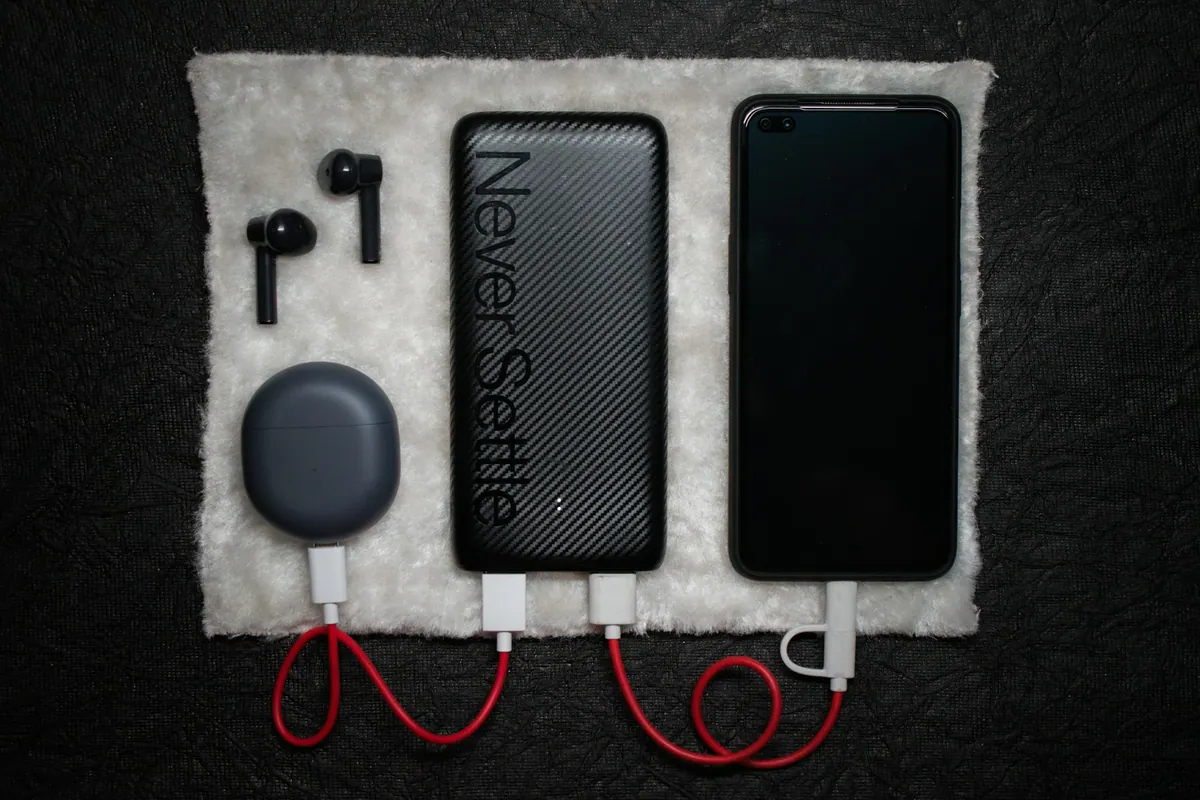
Choose a phone pack when the phone is the problem, a laptop-capable pack when your computer’s input requirements justify it, and a lightweight pack when carrying weight genuinely changes what you bring. If you also carry wireless earbuds, account for their cable and case connection without letting a small accessory dictate an oversized battery purchase. A coherent charging kit is more useful than the biggest specification on the shelf.
Reader questions
Can a phone power bank charge a laptop?
Some can supply limited power to compatible laptops, but a useful laptop backup needs the voltage profile and output wattage the computer requires. Capacity alone does not establish compatibility.
Does a 20,000mAh battery provide exactly twice the charging of a 10,000mAh model?
Not necessarily. Rated cell capacity, conversion losses, operating voltage, device use, temperature, and battery condition affect energy delivered to a device.
Can I put a power bank in checked baggage?
FAA guidance requires spare lithium batteries and power banks in carry-on baggage. Check the battery's watt-hour label and your airline's current capacity, quantity, and in-flight use rules before traveling.
Compare before you choose
Check the exact model, compatibility and current availability with the manufacturer before purchasing.
These links go to manufacturer information. No affiliate commission is active on these product links. Our link policy.
| Product | Consider it for | Check before buying |
|---|---|---|
| Anker Nano Power Bank 30W (A1259) | Phone backup while commuting | Using multiple outputs reduces the total power budget to 24W |
| Anker Laptop Power Bank 25K, 165W (A1695) | A multi-device travel bag | Combined output is not a single-device guarantee |
| UGREEN Nexode Power Bank 20,000mAh 130W | Occasional laptop support | Not a 130W single-port supply |
| NITECORE NB10000 Gen4 | A weight-conscious everyday bag | Two connected devices share a 15W total output budget |
Anker Nano Power Bank 30W (A1259)
Best fit: Phone backup while commuting
- 10,000mAh rated capacity
- Built-in USB-C cable
- Up to 30W from a single output; up to 24W combined
The tradeoff: Using multiple outputs reduces the total power budget to 24W
View manufacturer details Product record checked 2026-10-24. Confirm current specifications.Anker Laptop Power Bank 25K, 165W (A1695)
Best fit: A multi-device travel bag
- 25,000mAh rated capacity
- Built-in and retractable cables
- Up to 165W combined output
The tradeoff: Combined output is not a single-device guarantee
View manufacturer details Product record checked 2026-10-24. Confirm current specifications.UGREEN Nexode Power Bank 20,000mAh 130W
Best fit: Occasional laptop support
- 20,000mAh rated capacity
- Primary USB-C output up to 100W
- Up to 130W combined output
The tradeoff: Not a 130W single-port supply
View manufacturer details Product record checked 2026-10-24. Confirm current specifications.NITECORE NB10000 Gen4
Best fit: A weight-conscious everyday bag
- Published weight of approximately 143g
- 39Wh maker-rated energy (10,000mAh at 3.9V)
- Up to 22.5W from one USB-C output; 15W combined
The tradeoff: Two connected devices share a 15W total output budget
View manufacturer details Product record checked 2026-10-24. Confirm current specifications.Sources & further reading
Product information checked October 24, 2026. Specifications and availability can change.